
AI Image Creator
Turn your thoughts into visuals on mrkwebtool.com
📁 Upload Reference Image (Optional)
Your AI art will appear here
Text to Image Generator – Create AI Images from Text Instantly
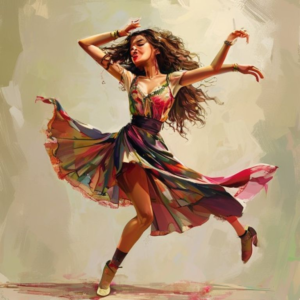
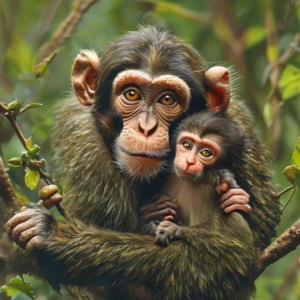
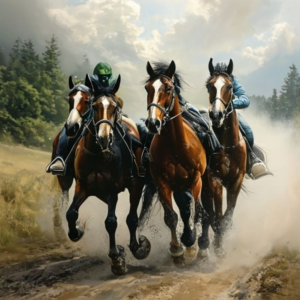
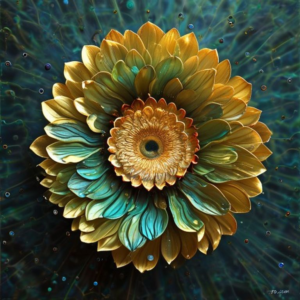
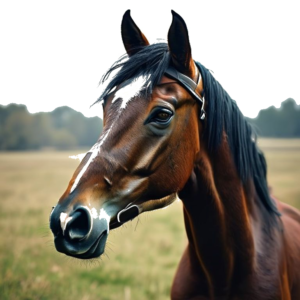
In today’s fast-paced digital world, visual content is king. Whether you are a blogger looking for the perfect featured image, a digital marketer crafting social media campaigns, or a designer brainstorming concepts, finding the right visual can take hours.
Enter the AI Text to Image Generator on mrkwebtool.com—a powerful, instant tool designed to turn your creative thoughts into stunning, high-resolution visuals in seconds. Completely free and fully responsive, this tool bridges the gap between imagination and digital art.
What is an AI Text to Image Generator?
An AI Text to Image Generator is an advanced web-based utility powered by machine learning models (such as Stable Diffusion). It analyzes written sentences (known as “prompts”) and interprets the vocabulary, context, style, and lighting conditions to synthesize a completely unique digital image from scratch.
Unlike traditional search engines that simply retrieve pre-existing images, our generator creates brand-new artwork every single time you hit the button.
Key Features of Our Tool:
-
Instant Visual Generation: No long rendering queues; get your artwork in seconds.
-
Aspect Ratio Flexibility: Choose between Square (1:1), Landscape (16:9), or Portrait (9:16) formats to fit blogs, YouTube thumbnails, or mobile screens perfectly.
-
Image Reference Support: Optionally upload an existing layout or photo to guide the structural flow of the AI’s rendering engine.
-
100% Royalty-Free: The graphics you generate are unique and can be utilized for personal or commercial projects.
How to Create AI Images from Text Instantly
Using the tool on mrkwebtool.com is incredibly straightforward. Follow these simple steps to generate your first piece of digital art:
Step 1: Write a Detailed Prompt
The secret to exceptional AI art lies in the description. Instead of typing something simple like “a car”, try expanding it: “A futuristic cyberpunk sports car driving down a neon-lit rain-slicked highway, 8k resolution, photorealistic style.”
Step 2: Set Your Dimensions (Optional)
Select your preferred aspect ratio depending on where you plan to publish the image:
-
1:1 Square: Perfect for Instagram, profile pictures, and clean grid layouts.
-
16:9 Landscape: Ideal for WordPress blog headers, websites, and YouTube thumbnails.
-
9:16 Portrait: Best suited for TikTok, Instagram Stories, and mobile wallpapers.
Step 3: Hit Generate & Download
Click “Generate Now”. The underlying artificial intelligence engine will assemble the pixels dynamically. Once your masterpiece appears on the preview canvas, simply click Download to save the high-resolution PNG file directly to your device.
Tips for Writing the Perfect AI Image Prompts
To get the most accurate and beautiful results out of an image generator, structure your text prompts using these three structural components:
Frequently Asked Questions (FAQs)
Are the images generated on mrkwebtool.com copyright-free?
Yes. The images generated by the AI are synthesized from mathematical vectors from scratch. They do not belong to anyone else, making them completely royalty-free for you to use in your blog posts, videos, or commercial projects.
Do I need to pay to use this tool?
No. This AI Image Creator tool is entirely free to use. You can generate, preview, and download custom graphics without any hidden subscription charges or premium walls.
How does the “Upload Reference Image” option work?
Uploading a reference photo gives the AI a baseline layout structure or color palette guidance. It merges the conceptual essence of your written text prompt with the physical composition of the uploaded image to deliver a highly controlled output.
Why is my generated image taking a few seconds to load?
Because the machine learning architecture calculates billions of pixel parameters across multiple neural network layers to build a completely unique image, processing can take anywhere from 5 to 20 seconds depending on server load.
Can I use these images on a website monetized by Google AdSense?
Absolutely. Since the content generated is completely unique, it complies with Google’s guidelines regarding original material and avoiding duplicate or scraped visual content.
Ready to bring your imagination to life? Head over to the top of our page, type in your wildest ideas, and watch the magic happen instantly!