
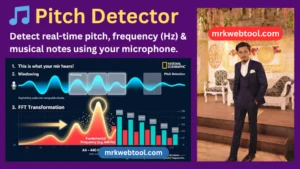
Advanced Real-Time Pitch Detector | MRK Web Tool
Advertisement Placeholder
Real-Time Pitch Detector
Analyze vocal frequency, instrument audio tuning, and music notes using your microphone input.
--
0.00 Hz
How to Use the Online Pitch Detector
Whether you are tuning an instrument, practicing vocals, or exploring sound theory, our precise tool processes audio input directly inside your browser using hardware acceleration via the Web Audio API.
Key Benefits & Uses
- Instrument Tuning: Instantly find accurate frequencies for acoustic guitars, violins, pianos, or wind instruments.
- Vocal Pitch Tracking: Monitor your vocal register and track specific musical target notes in real time.
- Precision Pitch Detection: Implements autocorrelation algorithms to eliminate ambient room noise calculations for highly clean target results.
Security Notice: Your privacy is completely protected. Audio processed via this application remains strictly client-side within your browser window and is never sent to external servers.
Advertisement Placeholder
Real-Time Pitch Detector
Analyze vocal frequency, instrument audio tuning, and music notes using your microphone input.
How to Use the Online Pitch Detector
Whether you are tuning an instrument, practicing vocals, or exploring sound theory, our precise tool processes audio input directly inside your browser using hardware acceleration via the Web Audio API.
Key Benefits & Uses
- Instrument Tuning: Instantly find accurate frequencies for acoustic guitars, violins, pianos, or wind instruments.
- Vocal Pitch Tracking: Monitor your vocal register and track specific musical target notes in real time.
- Precision Pitch Detection: Implements autocorrelation algorithms to eliminate ambient room noise calculations for highly clean target results.
Security Notice: Your privacy is completely protected. Audio processed via this application remains strictly client-side within your browser window and is never sent to external servers.
Pitch Detector: Free Real-Time Pitch and Frequency Analysis Tool
🎵 Pitch Detector – Analyze Sound Frequency in Real Time
Understanding pitch is useful for musicians, singers, music students, content creators, and anyone interested in learning more about sound. A pitch detector can make this process easier by analyzing an incoming audio signal and displaying its estimated frequency in Hertz (Hz), along with a corresponding musical note.
The Pitch Detector on MRK Web Tool is a browser-based utility designed to provide real-time pitch information through your device’s microphone. You can use it to explore vocal tones, check instrument notes, practice singing, or learn how frequency relates to musical notation.
The tool works directly in a compatible web browser, so there is no need to install dedicated desktop software or browser extensions.
🎯 What Is a Pitch Detector?
A pitch detector is a digital tool that estimates the fundamental frequency of an audio signal. Frequency is measured in Hertz (Hz), which represents the number of cycles a sound wave completes per second.
In general:
- Higher frequencies are associated with higher-pitched sounds.
- Lower frequencies are associated with lower-pitched sounds.
- Musical notes correspond to particular frequency ranges.
- The same musical note can occur at different octaves, with each octave having a different frequency.
For example, the commonly used tuning reference A4 has a frequency of approximately 440 Hz. A pitch detector can use frequency information to determine which musical note is closest to the detected sound.
🎤 How to Use the Real-Time Pitch Detector
Using the MRK Web Tool Pitch Detector is straightforward. Follow these steps for the best results.
1. Allow Microphone Access
Open the Pitch Detector and select Start Listening. Your browser may display a permission request asking whether the website can access your microphone.
Choose Allow if you want the tool to analyze sound from your device.
Microphone permissions are controlled by your browser, and you can normally change them later through the browser’s site settings.
2. Create a Clear Sound
Sing a note, speak at a steady pitch, or play an instrument near your microphone.
For more consistent readings, try to:
- Use one sound source at a time.
- Maintain a steady note.
- Reduce background noise.
- Avoid placing the microphone too close to loud speakers.
- Allow the browser to capture a reasonably clear signal.
3. Watch the Frequency Reading
Once the tool detects an audio signal, it can display an estimated frequency in Hertz (Hz).
The number may change as your voice or instrument changes pitch. A stable sound generally produces a more stable frequency reading.
4. Identify the Musical Note
The detector can associate the estimated frequency with the nearest musical note in the standard Western chromatic scale.
Depending on the detected frequency, you may see notes such as:
- C
- C#
- D
- D#
- E
- F
- F#
- G
- G#
- A
- A#
- B
The detected octave may also be shown where supported by the tool.
5. Observe the Waveform
The visual waveform provides another way to understand the incoming audio signal.
Instead of looking only at a number, you can observe how the sound changes over time. A relatively consistent tone may produce a more regular visual pattern, while speech, noise, or rapidly changing sounds can create a less stable waveform.
6. Stop or Restart the Analysis
When you finish, use the available control to stop listening or restart the detector.
You can then test another vocal note, instrument, or sound source.
🔊 Why Does Frequency Matter in Music?
Frequency is one of the fundamental properties used to describe sound.
When an object vibrates, it creates changes in air pressure that travel through the environment as sound waves. The frequency of those vibrations influences the pitch we perceive.
For example, a sound vibrating at a relatively low frequency is generally perceived as deeper, while a higher-frequency vibration is generally perceived as higher.
Musical systems organize these frequencies into notes and octaves, making frequency analysis particularly useful for learning and practicing music.
🎼 Common Uses of a Pitch Detector
A real-time pitch detector can be useful in several everyday situations.
Instrument Practice
Musicians can use pitch detection as a reference while tuning or practicing an instrument. It can be particularly useful for string instruments, although the quality of the result depends on the microphone, environment, instrument, and detector algorithm.
Singing Practice
Singers can use pitch information to develop greater awareness of whether a sustained note is moving higher or lower than intended.
It can also be helpful when practicing scales and individual notes.
Music Education
Students can use a pitch detector to connect music theory with real-world sound. Seeing frequency values alongside musical notes can make concepts such as octaves and pitch easier to understand.
Audio Testing
Content creators and hobbyists can use frequency detection when experimenting with microphones, voices, instruments, and other audio sources.
Sound Exploration
The tool can also be used simply as an educational experiment to observe how different sounds produce different frequency patterns.
⚙️ How Pitch Detection Works
A browser-based pitch detector generally receives audio from the microphone and processes the incoming signal digitally.
Modern browsers provide audio-processing capabilities through technologies such as the Web Audio API. A pitch-detection algorithm can examine the captured waveform and estimate its fundamental frequency.
A simplified process looks like this:
Microphone → Audio Signal → Digital Processing → Frequency Estimation → Musical Note
The estimated frequency can then be compared with known musical frequencies to determine the closest note.
Different pitch-detection techniques can produce different results, particularly when the audio contains background noise, multiple simultaneous notes, strong harmonics, or echoes.
📊 Frequency vs. Musical Note
Frequency and musical note are related, but they are not exactly the same thing.
Frequency is a numerical measurement expressed in Hertz.
Musical pitch is the perceived quality associated with how high or low a sound seems.
A detector estimates the frequency and then uses a musical tuning system to identify the closest corresponding note.
For example, under the commonly used equal-tempered tuning system, A4 is approximately 440 Hz. Other notes are positioned at specific frequency relationships around this reference.
This relationship allows digital tools to translate numerical frequency measurements into familiar musical notation.
🎯 Tips for More Stable Pitch Readings
The quality of pitch detection depends heavily on the incoming audio signal. Try these suggestions when readings appear unstable:
- Use a quiet environment. Background sounds can interfere with detection.
- Play one note at a time. Multiple simultaneous notes can make fundamental-frequency estimation more difficult.
- Hold the note steadily. Sustained tones are usually easier to analyze than rapidly changing sounds.
- Position the microphone appropriately. Extremely loud or very distant sources may produce less reliable results.
- Avoid excessive room echo. Reflections can add unwanted information to the captured signal.
- Allow microphone permission. Without audio access, the detector cannot analyze live input.
- Give the detector a moment to respond. Real-world audio signals are not always perfectly stable.
📱 Can You Use the Pitch Detector on a Smartphone?
Yes, if your mobile browser supports the required microphone and audio features.
Before using the tool, make sure your browser has permission to access the device microphone. A phone can be convenient for quick experiments, vocal exercises, and instrument checks.
However, microphone quality varies between devices. For more demanding audio work, an external microphone or dedicated audio equipment may provide a cleaner input signal.
💻 Do You Need to Install Software?
No additional desktop software or browser extension is required to use a browser-based pitch detector.
Simply open the tool in a compatible browser and provide microphone permission when requested.
Your browser and device must support the audio features required by the application.
🔐 Microphone Privacy and Permissions
Microphone access is an important privacy consideration for any browser-based audio application.
The browser controls whether a website can access the microphone. Users should review permission requests carefully and only grant access when they are comfortable doing so.
The MRK Web Tool Pitch Detector is intended to analyze live audio within the browser session rather than function as a general-purpose voice recording service.
For the exact handling of audio data, users should also review the site’s current privacy policy and browser permission settings.
⚠️ Understanding Pitch Detector Limitations
A pitch detector should be treated as a helpful measurement and learning tool rather than a laboratory-grade audio measurement system.
Readings can vary because of:
- Background noise
- Microphone quality
- Room acoustics
- Harmonics
- Multiple sound sources
- Very quiet signals
- Rapid changes in pitch
- Extremely high or low frequencies
- Browser and device limitations
For professional recording, acoustic research, or specialized measurement work, dedicated audio-analysis equipment may provide more detailed information.
🌟 Benefits of Using an Online Pitch Detector
A browser-based detector offers several practical advantages:
Easy to Access
You can use the tool from a compatible browser without installing a separate application.
Useful for Learning
Frequency values and musical notes provide a practical way to connect sound theory with real-world examples.
Convenient for Practice
Musicians and singers can quickly check individual notes while practicing.
Visual Feedback
The waveform provides additional information about the incoming audio signal.
Cross-Device Convenience
A compatible desktop, tablet, or smartphone can provide a convenient way to experiment with pitch detection.
🎵 Pitch Detector for Singers
Singers can use pitch detection as a visual learning aid.
For example, you can sing a sustained note and observe whether the detected frequency remains relatively stable. You can also practice moving between notes and observe how the detected pitch changes.
The tool should not replace professional vocal instruction, but it can provide useful visual feedback during independent practice.
🎸 Pitch Detector for Instruments
Instrument players can also use pitch detection to check individual notes.
For tuning tasks, play a single string or note clearly and allow the detector to analyze the sound. Compare the detected note and frequency with the intended pitch.
Keep in mind that different instruments produce complex sounds containing a fundamental frequency and additional harmonics. Consequently, a detector may occasionally identify an incorrect frequency when the input is noisy or contains several strong overtones.
🧠 Educational Value of Frequency Analysis
Pitch detection is not only useful for musicians. It can also demonstrate basic concepts from physics, mathematics, and digital audio.
Students can experiment with different sounds and observe how changes in pitch correspond to changes in frequency.
For example:
Lower pitch → Lower frequency
Higher pitch → Higher frequency
This simple relationship provides an accessible introduction to the science of sound.
❓ Frequently Asked Questions
What is a pitch detector?
A pitch detector is a tool that analyzes an audio signal and estimates its fundamental frequency. It can then associate that frequency with a musical note.
What is frequency measured in?
Frequency is measured in Hertz (Hz). One Hertz represents one cycle per second.
Can I use the Pitch Detector for singing?
Yes. You can sing or hum a steady note into your microphone and observe the estimated pitch and frequency.
Can I use it for guitar tuning?
It can be used as a helpful reference for individual guitar notes. For best results, tune one string at a time in a relatively quiet environment.
Why does the detected note sometimes change rapidly?
Unstable readings can result from background noise, room reflections, harmonics, microphone limitations, or an unsteady sound source.
Why is my microphone not working?
Check that your device has a functioning microphone and that your browser has permission to access it. You can also review the website’s microphone permission in your browser settings.
Does the tool work on mobile devices?
It can work on compatible smartphones and tablets when the browser supports the required audio features and microphone access.
Do I need to install an app?
No separate application or browser extension is required for a browser-based pitch detector.
Is 440 Hz always the correct frequency for A?
440 Hz is the commonly used reference for A4 in standard tuning, but musicians and organizations may use alternative tuning references.
Can a pitch detector replace a professional tuner?
For everyday practice and learning, an online detector can be useful. For professional applications, dedicated tuning or measurement equipment may provide greater precision and additional features.
Is the Pitch Detector free?
The MRK Web Tool Pitch Detector is provided as an online utility for users who want to explore and analyze pitch through their browser.
🚀 Start Exploring Sound with MRK Web Tool
Pitch becomes much easier to understand when you can see it in real time.
Whether you are a singer practicing a sustained note, a musician checking an instrument, a student learning about frequency, or simply curious about how sound works, the MRK Web Tool Pitch Detector provides an accessible way to explore audio directly from your browser.
For the best experience, use a clear sound source, reduce background noise, and remember that online pitch detection is an estimate influenced by the quality of your microphone and recording environment.
Open the Pitch Detector, allow microphone access, make a sound, and explore the relationship between frequency and musical pitch in real time.