
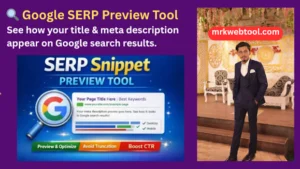
🔍 Google SERP Preview Tool
Optimize your meta tags in real-time to maximize search engine visibility and boost your click-through rate (CTR).
Your Page Title Goes Here - SEO Preview
Enter a meta description to see how your page will appear in Google search results. This tool helps you optimize for clicks and better CTR!
Google SERP Preview Tool: Optimize Your Search Snippets for Maximum CTR
Have you ever published an amazing article, only to look at Google later and discover your carefully planned title was cut off mid-sentence? First impressions on the internet happen entirely on the Search Engine Results Page (SERP). When your search snippet looks cut off, incomplete, or broken, users will simply scroll past and click on a competitor.
To solve this problem, mrkwebtool.com has developed a professional Google SERP Preview Tool. This advanced web utility gives you an instantaneous, live window into your website’s search engine appearance. Whether you are an experienced digital entrepreneur managing massive websites or a beginner blogger launching your first project, this tool helps you design titles and descriptions exactly as your readers will see them.
Understanding Search Snippet Anatomy
A standard Google search engine result relies on three core foundational elements. Perfecting these three elements directly determines whether a searcher clicks on your link or skips it:
-
The SEO Title: This is the prominent blue, clickable headline. It represents your primary hook and must immediately match the user’s search intent.
-
The URL / Target Slug: This is the breadcrumb trail displayed directly above or below your title. A clean, readable URL structure builds trust and transparency.
-
The Meta Description: This is the short summary paragraph beneath the title. Think of it as your short sales pitch—it tells the reader exactly why your page is worth their time.
Why Pixel Width Matters More Than Character Count
A common trap many website owners fall into is counting characters manually. While keeping an eye on character count is a great baseline, Google actually measures search snippets in pixels, not characters.
For example, a capital letter “W” or “M” occupies significantly more horizontal visual space on a screen than a lowercase letter “i” or “l“. If your title features a lot of wide characters, it might get truncated by Google’s standard horizontal ellipses (…) even if you stay under the traditional character limit.
Our advanced simulator handles these calculations instantly to help you stay within Google’s safe parameters:
-
Desktop Title Limit: Typically fits safely when keeping key text parameters under 60 characters or roughly 580 pixels.
-
Desktop Description Limit: Stays visible and fully legible when optimized under 160 characters or roughly 920 pixels.
Key Benefits of the Snippet Simulator on mrkwebtool.com
Using a real-time layout simulator changes how you publish content. Here is what you gain by utilizing this responsive tool before hitting publish:
-
Boost Organic CTR: You don’t always need to climb from position five to position one to get more traffic. Crafting a beautiful, enticing search snippet can heavily increase your click-through rate (CTR) using your existing keyword rankings.
-
Eliminate Search Truncation: Ensure that your vital Power Words, unique selling propositions, and Calls-to-Action (CTAs) are fully readable instead of being chopped off by automatic search system limits.
-
Vibrant Visual Contrast: Testing your text structure dynamically lets you find the perfect layout balance before deploying code to your live WordPress site.
-
Safe Emoji Testing: See exactly how icons like ✅, ⭐, or 🚀 display within your meta text. Emojis can drastically improve visibility, but only if they fit neatly without cluttering the preview.
How to Use the mrkwebtool.com SERP Previewer
Optimizing your website’s meta data takes less than a minute. Just follow these simple steps to refine your content:
-
Input Your Page Title: Type your planned headline into the Title field. Watch the real-time character counter adjust and aim for the optimized length configuration.
-
Draft Your Meta Description: Write a highly compelling summary of your article. For best results, place your target focus keyword near the very beginning of the description.
-
Specify Your Target URL Slug: Type in your page’s path (e.g., blog/seo-tools) to review how the structural breadcrumb path renders.
-
Analyze and Refine: Watch the live desktop preview panel update instantly with every keystroke. Tweak your wording until the layout looks perfectly clean, professional, and symmetrical.
Frequently Asked Questions
Is this tool free to use?
Yes! The Google SERP Preview Tool at mrkwebtool.com is a 100% free web utility built to support webmasters, developers, and the broader SEO community.
Does using this tool guarantee a #1 Google ranking?
No. While a snippet simulator helps optimize your visual Click-Through Rate (CTR), search rankings depend heavily on content depth, domain authority, backlinks, and technical site performance. However, securing a stronger CTR sends great user-behavior signals to search engines, which can naturally support your organic growth over time.
Why does Google rewrite my meta description or title?
Occasionally, Google’s automated ranking systems will extract a different text snippet from your page body if they believe it matches a user’s unique search query better than your default meta tags. However, providing a meticulously structured, high-quality meta title and description remains the best way to ensure Google displays your preferred promotional text.
Is the text I enter saved or tracked?
Never. Your privacy is protected with zero data retention. All calculations, text processing, and counter metrics occur locally directly within your own web browser session. We do not store, track, or save any of the copy or data you test inside this tool.
Need Additional Web Utilities?
Explore our growing library of single-column web tools and dashboards at mrkwebtool.com to streamline your development, optimization, and content management workflows!